RSRequest Service

For contractors in Oklahoma City

Become a contractor in Oklahoma City, OK.

Oklahoma City homeowners search Request Service for licensed local pros. Get listed in the Oklahoma City directory, send itemized estimates, and get paid — with no commission on the work you win.

The portal

The office, in one login.

The full field-service desk — leads through payment — on the same record. Real screens from the pro portal, not mock-ups.

01 · Leads & requests

Every lead lands in one inbox.

Marketplace requests matched to your trade and ZIP, plus the homeowners who booked your company by name. Photos, notes, and the address arrive attached.

  • Pipeline view — new, contacted, estimate sent, accepted, converted
  • Reply with an estimate or a message in one click
  • Nothing goes cold: reminders and follow-ups sit on the same lead
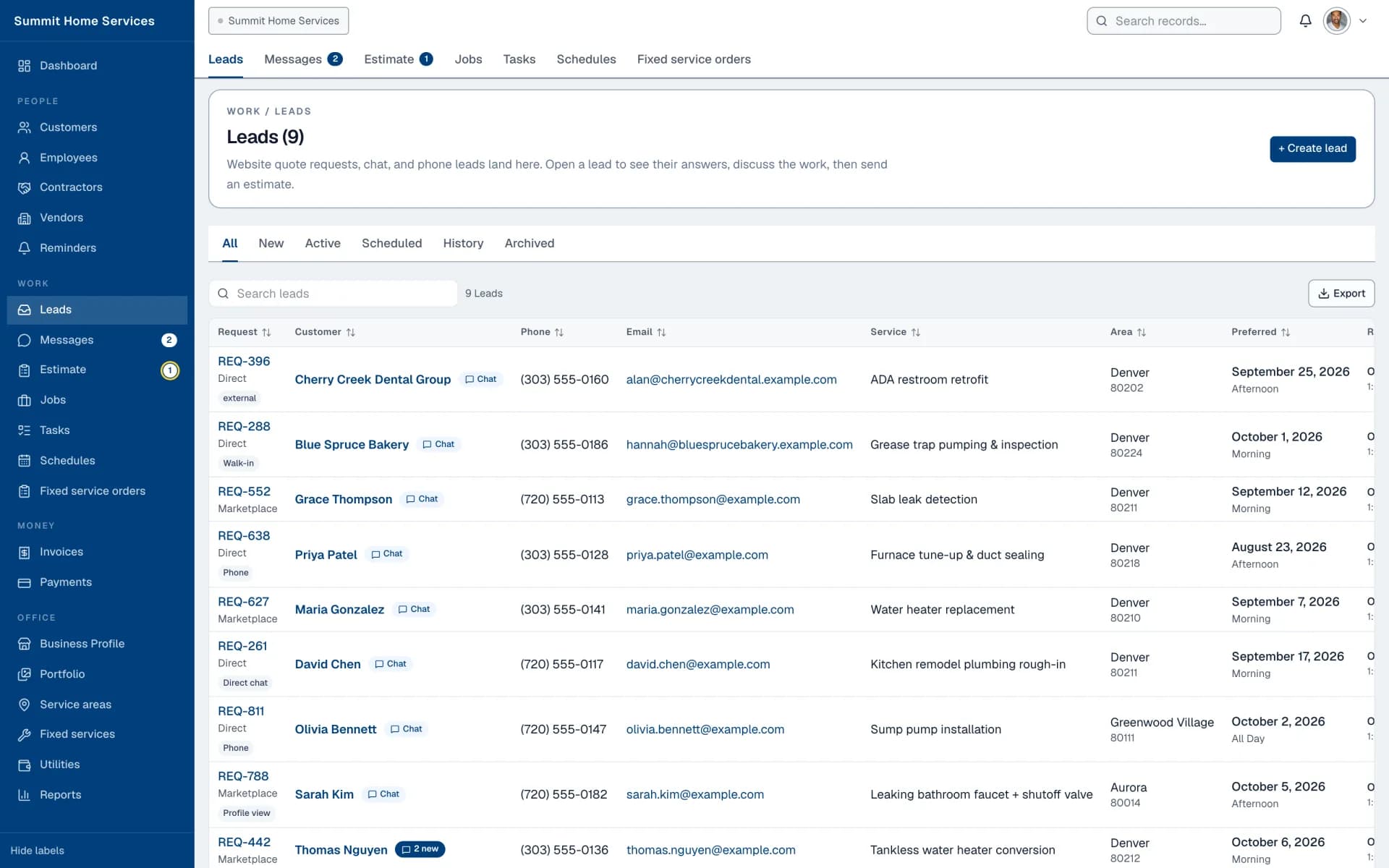
Leads board listing incoming service requests with status, service, and location

02 · Estimates

Send a scope they can accept in one tap.

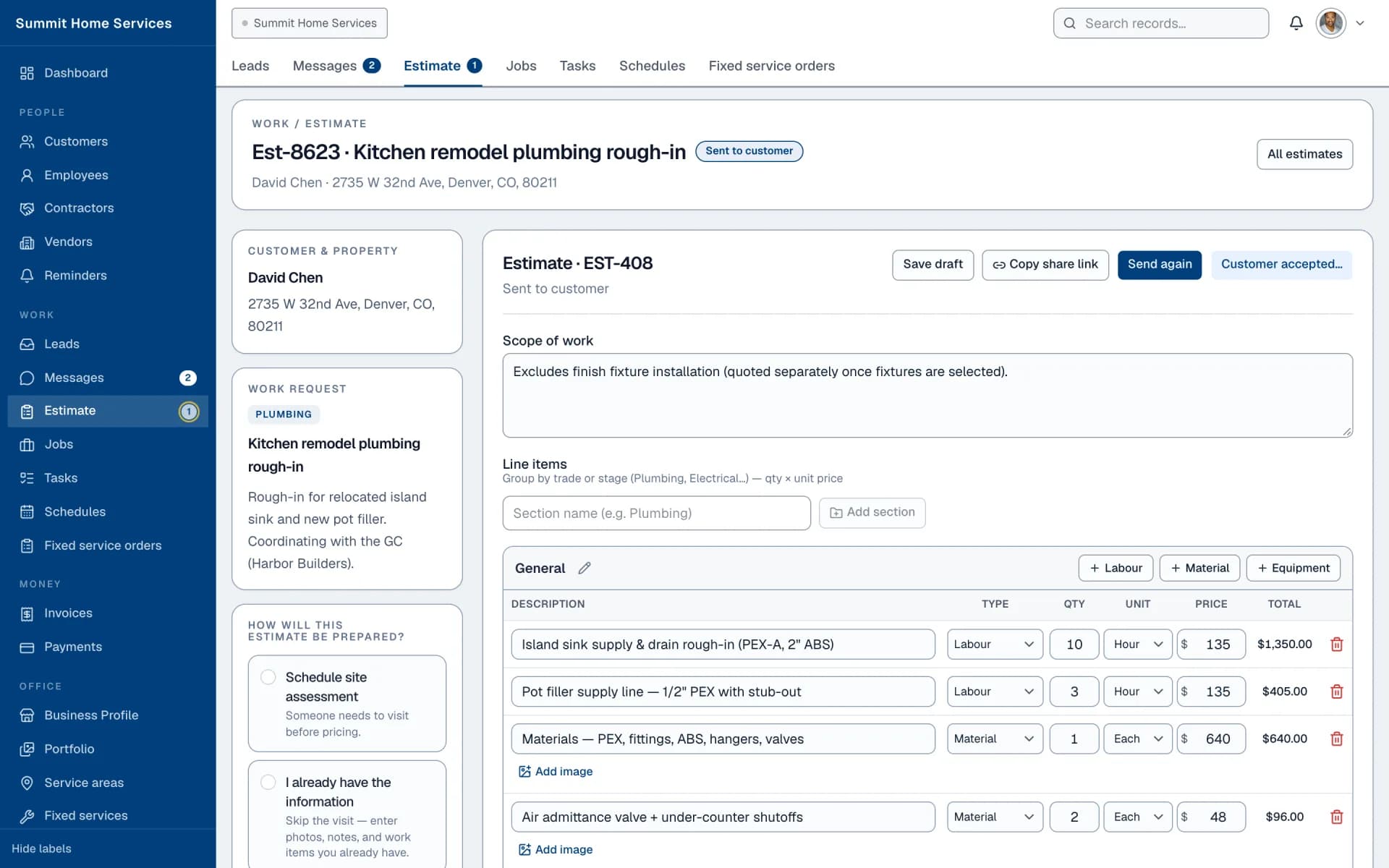
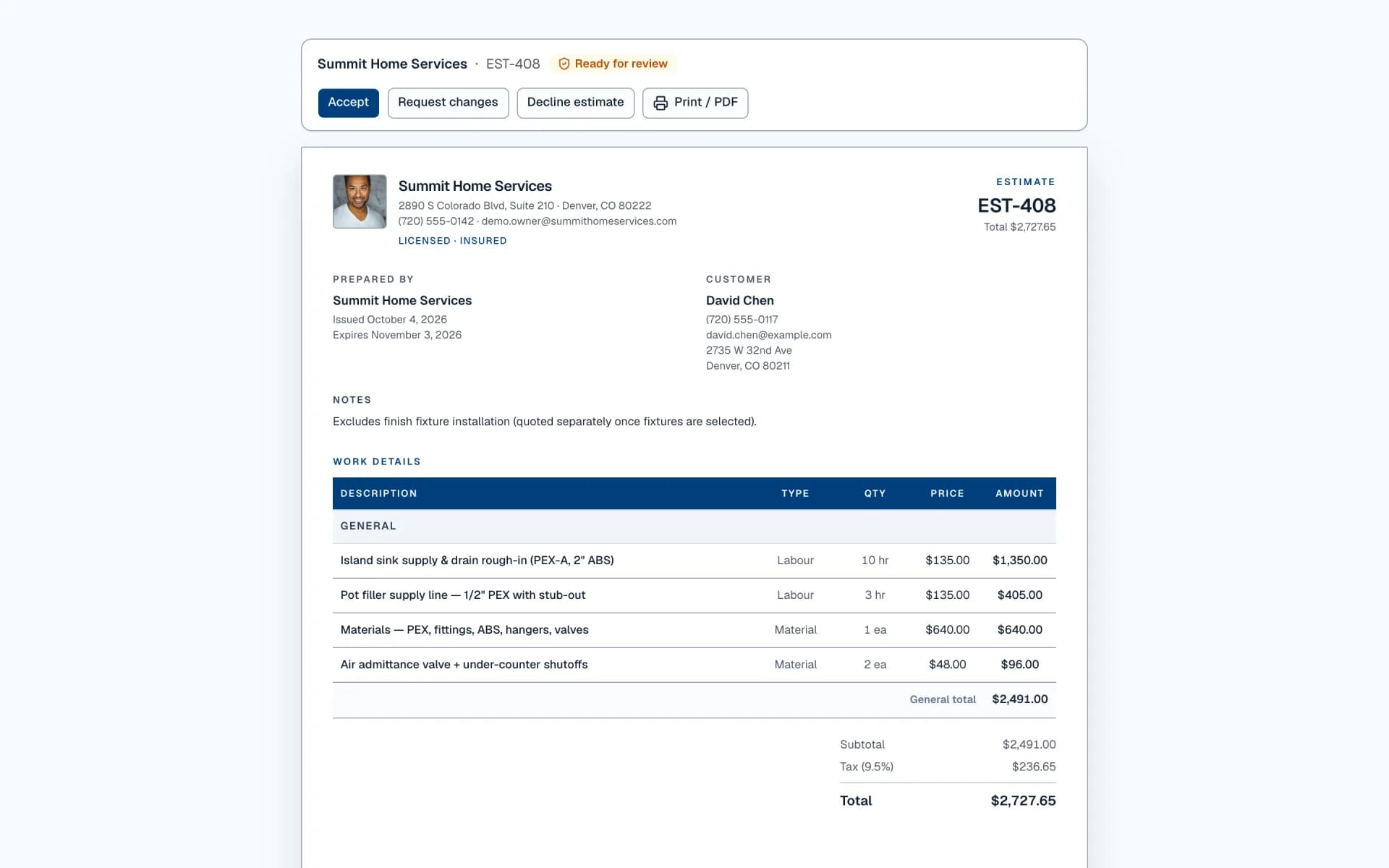
Labor, materials, equipment, and tax on one page. Share a link — the customer reviews, accepts, or requests changes without creating an account. Every revision is tracked, and they always see what changed.

  • Sectioned line items with images, per-line type and unit
  • Shareable customer link with accept / request changes / decline
  • Activity log and change history on every send
Estimate workspace with sectioned line items, totals, and send actions
What the customer sees: the public estimate page with Accept and Request changes buttons
The customer's view

03 · Schedule

Fill every tech's week in minutes.

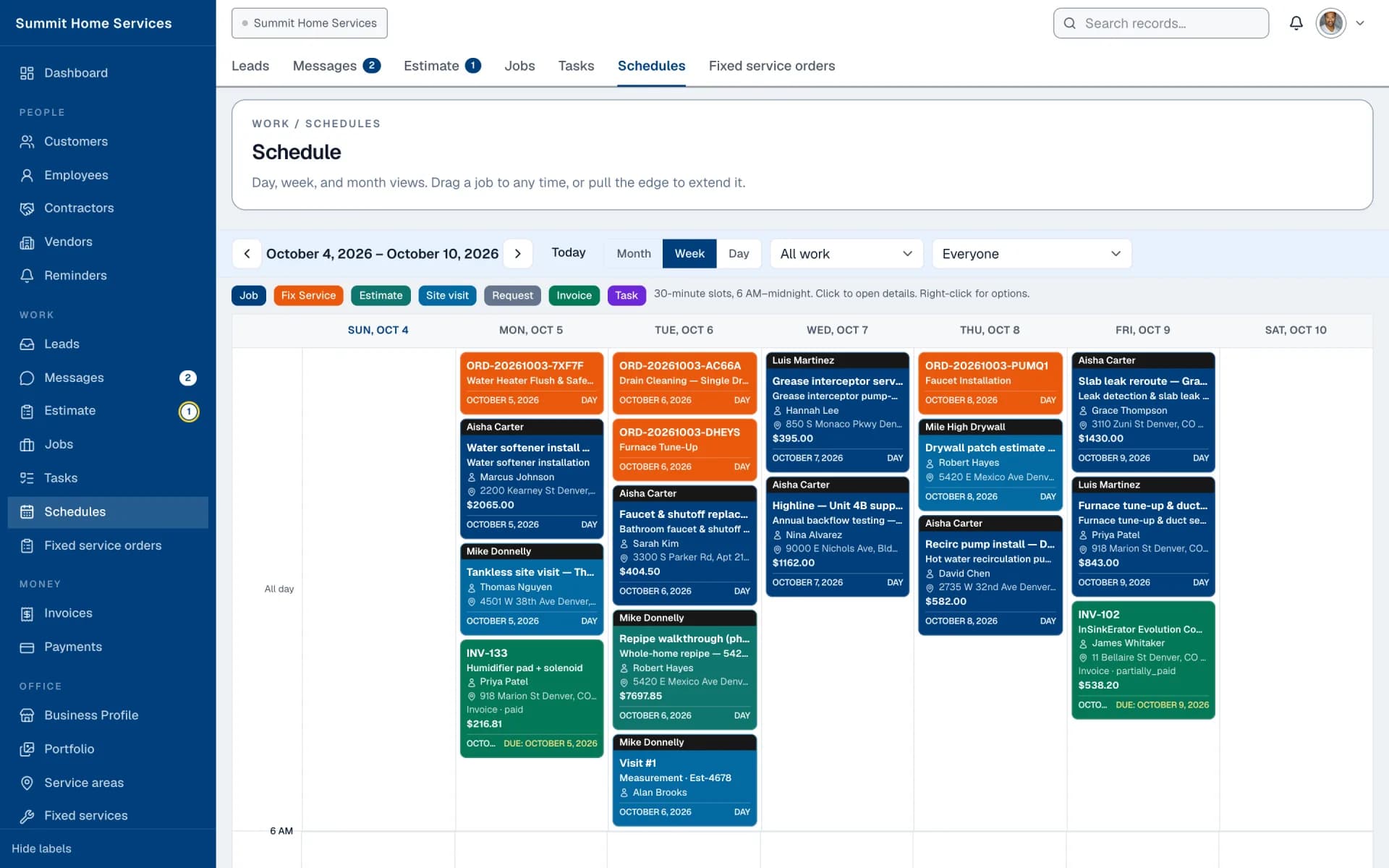
Jobs, estimates, site visits, tasks, and invoice due dates on one calendar. Drag a job to another day, filter by team member, and see who is free before you promise a time.

  • Day, week, and month views
  • Color-coded by type: job, fixed service, estimate, site visit, task, invoice
  • Filter by work type or by technician
Weekly schedule calendar with color-coded jobs, estimates, and tasks

04 · Jobs

The accepted estimate becomes the work.

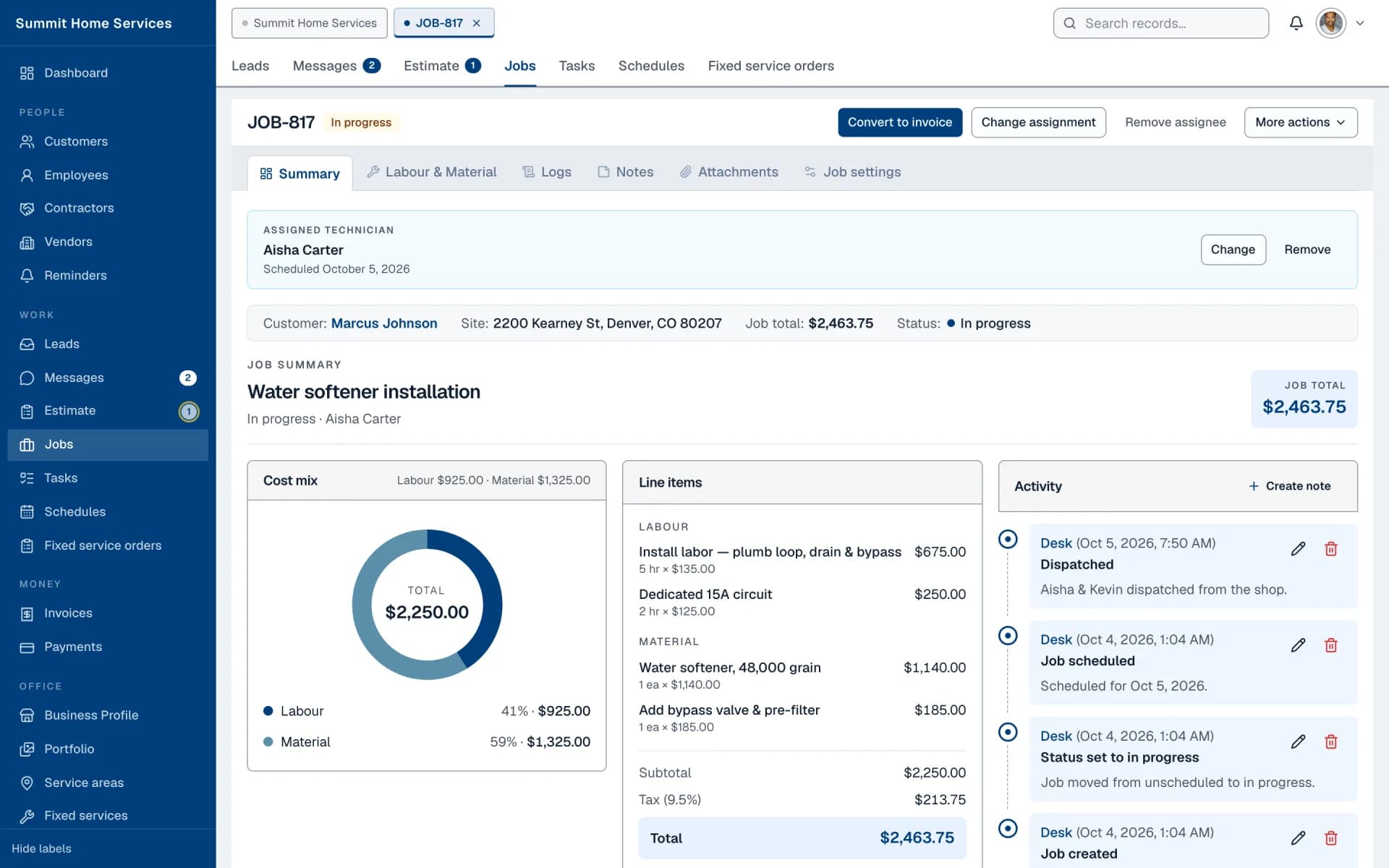
Once they accept, the file is a job on the board with the assigned technician, approved scope, cost mix, and a running activity log. Change orders sit beside the original — they never overwrite it.

  • Assign a technician or a contractor, reschedule, convert to invoice
  • Labor and material, logs, notes, attachments, and settings tabs
  • Status flows from scheduled to in progress to completed
Job detail showing assigned technician, cost mix chart, line items, and activity

05 · Invoices & payments

Bill the file they already accepted.

The invoice is the estimate plus approved change orders. Record deposits, progress payments, and the balance — every payment stays on the invoice until the job is settled.

  • Progress or final invoices from any job
  • Payments by card, check, cash, or transfer, each logged
  • Overdue, outstanding, and collected totals on the dashboard
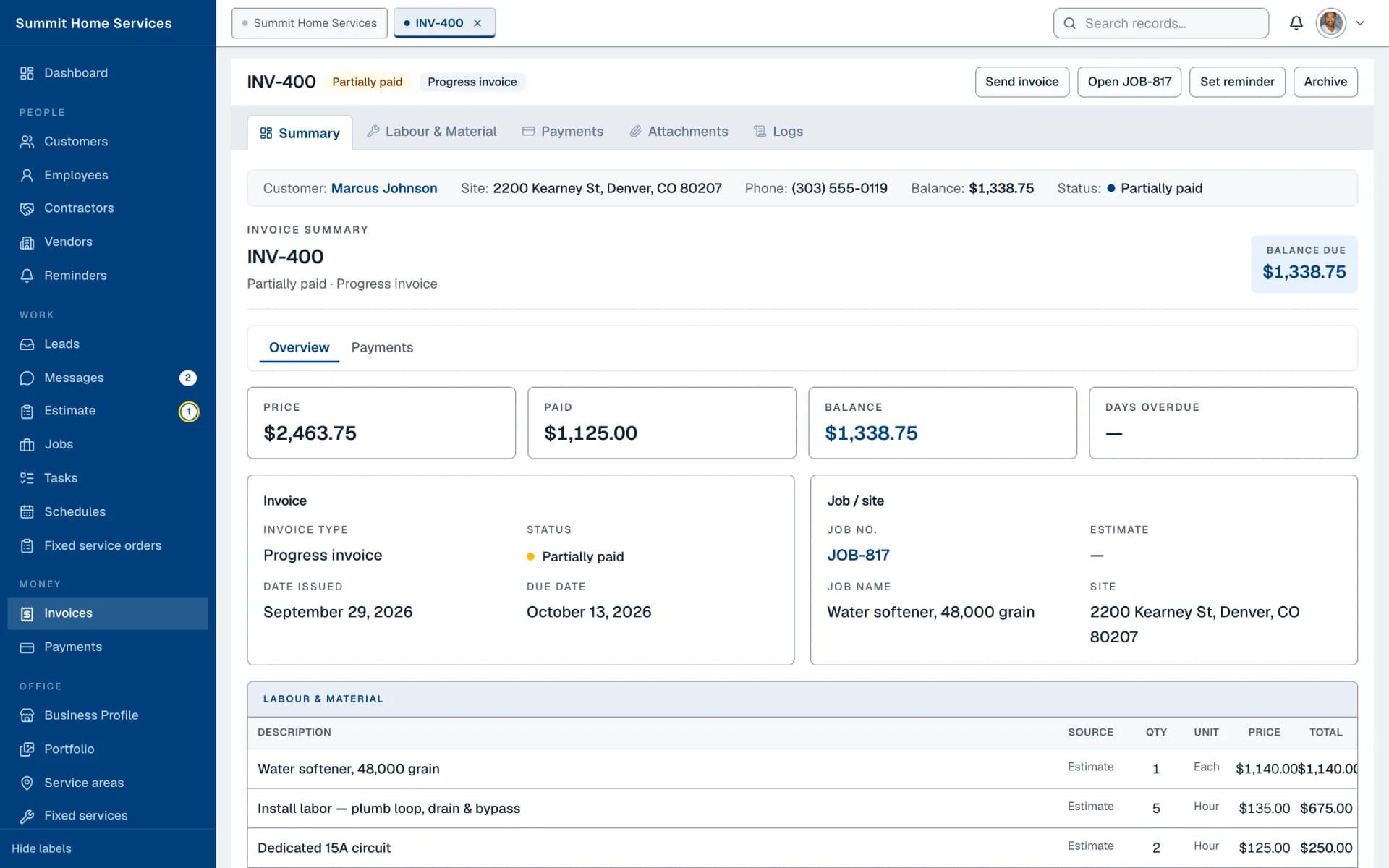
Invoice summary with price, paid, balance, and line items from the job

06 · Messages

Every conversation next to the job it's about.

Two-way chat with customers and leads, unread counts, and a thread per contact. Reply from the desk or from your phone — the message history stays on the customer.

  • Lead inquiries and customer threads in one inbox
  • Unread and lead filters, search across contacts
  • Message a customer straight from their estimate or job
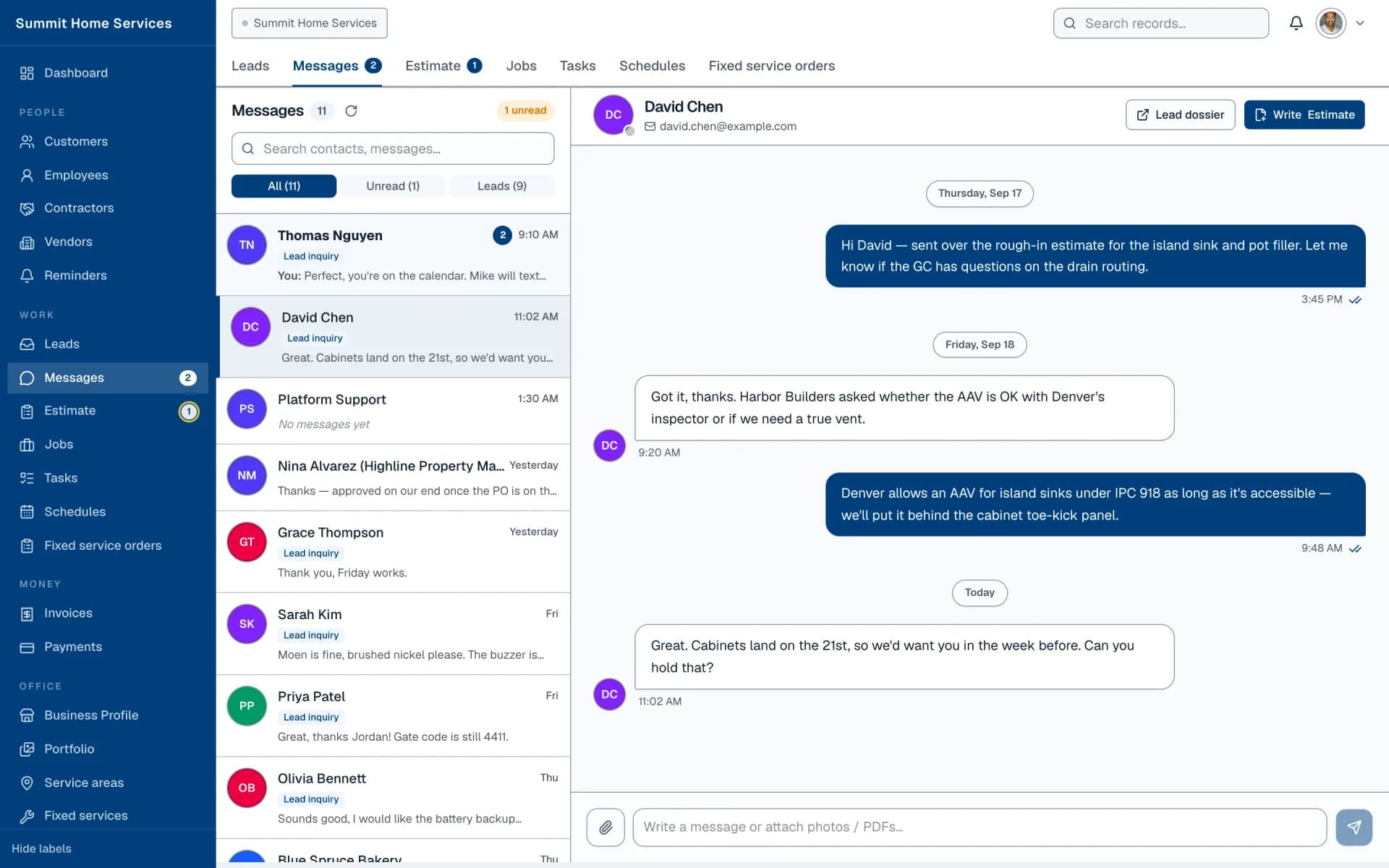
Messages inbox with a customer conversation open

Also included

Everything the team needs after the estimate.

Every plan includes the full portal. Pick a tab to see the real screen.

Dashboard

What needs attention today, before the first call.

Overdue invoices, uninvoiced jobs, unassigned work, and overdue tasks on top. Below it, the lead pipeline, incoming requests, revenue, and recent messages — with Main, Sales, and Service views.

  • Today / this week / this month switch
  • Sales view for pipeline and conversion, Service view for crews and jobs
  • Every tile links straight to the record behind it
Join as a pro
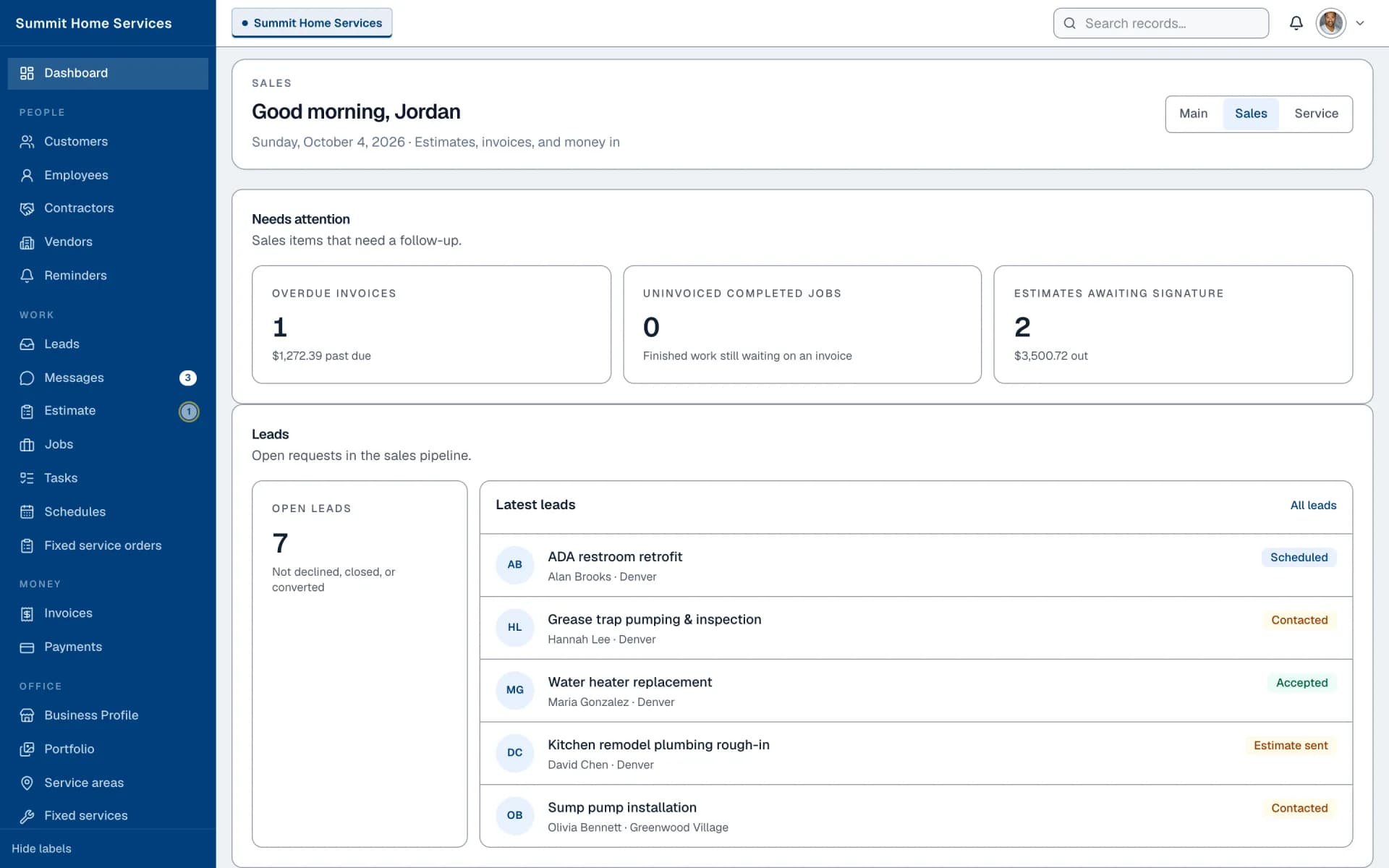
Sales dashboard with pipeline, conversion, and estimate totals

Made for home service teams

One job file, across every trade you run.

Inbox, estimate, crew, and invoice stay on the same record — whether you run HVAC, plumbing, or a bath remodel.

  1. 01

    Lead

    Request lands in your inbox

    Matched by ZIP and trade — or sent straight to your company by name.

  2. 02

    Estimate

    Scope they can accept

    Line items, totals, and a share link. They approve or ask for changes online.

  3. 03

    Job

    Work on the calendar

    The signed estimate becomes the job — assigned, scheduled, and tracked.

  4. 04

    Invoice

    Paid on the same file

    Deposits and balance stay on the record they already approved.

Trades

Built for the trades you already run

Same desk for every crew — one inbox, one estimate, one invoice file, whether you fix pipes or roofs.

See everything in the portal
  • PlumbingLeaks & water heaters
  • HVACHeating & cooling
  • ElectricalPanels & lighting
  • HandymanSmall home repairs
  • House CleaningRecurring & deep cleans
  • RoofingRepairs & replacement
  • LandscapingLawns & outdoor care
  • PaintingInterior & exterior
  • Bathroom RemodelingTile & fixtures
  • Pest ControlInspect & prevent

Subscription

Straightforward plans for every crew size

Start free, then add the AI Voice Receptionist, crew logins, and the mobile app as you grow. Cancel anytime.

Compare plans and read the pricing FAQ

Where homeowners are hiring

Homeowners searching in Oklahoma City

FAQ

Joining Request Service in Oklahoma City

“The workflow from request to estimate to job is what we already try to run on paper. Seeing it structured this way is the reason we would subscribe.”
Diana Hale · Owner · Harbor Electric (demo)

Get started

Open your account today.

  • No commission on the jobs you win
  • Cancel the subscription anytime
  • Your estimates and customers stay yours